What is Bio Data? CV VS Resume VS BioData With BioData Format for Job


Table of Contents
Although we have moved beyond the infographic bio data era, which indeed was a revolution in how people made their CVs, the format we use in bio data still impacts its performance. A bio data format is a simple document that shows information about you. It serves various purposes across different industries and, surprisingly, is even used for marriage-related purposes.
How your bio data looks is important. Research shows recruiters spend 6-8 seconds reviewing bio data. It’s common sense they can’t read much in these few puny seconds. That’s why a good format is important to hook their attention a little more. Imperfect formats can make a bad impression.
So if you have found a job you really want or you’re digging for it, now is the time to revamp your bio data format. This guide will talk about the best bio data for jobs, with examples on how you can customize them, and tips to help your professional bio data stand out to recruiters.
Read: Top 13 Free Job Posting Sites in Dubai UAE
Types of Bio Data Formats For Jobs
Now that you know the structure of bio data applications for jobs, here are the top three bio data formats for jobs. These formats also suit modern job application dynamics too.
1) Professional Bio Data Template
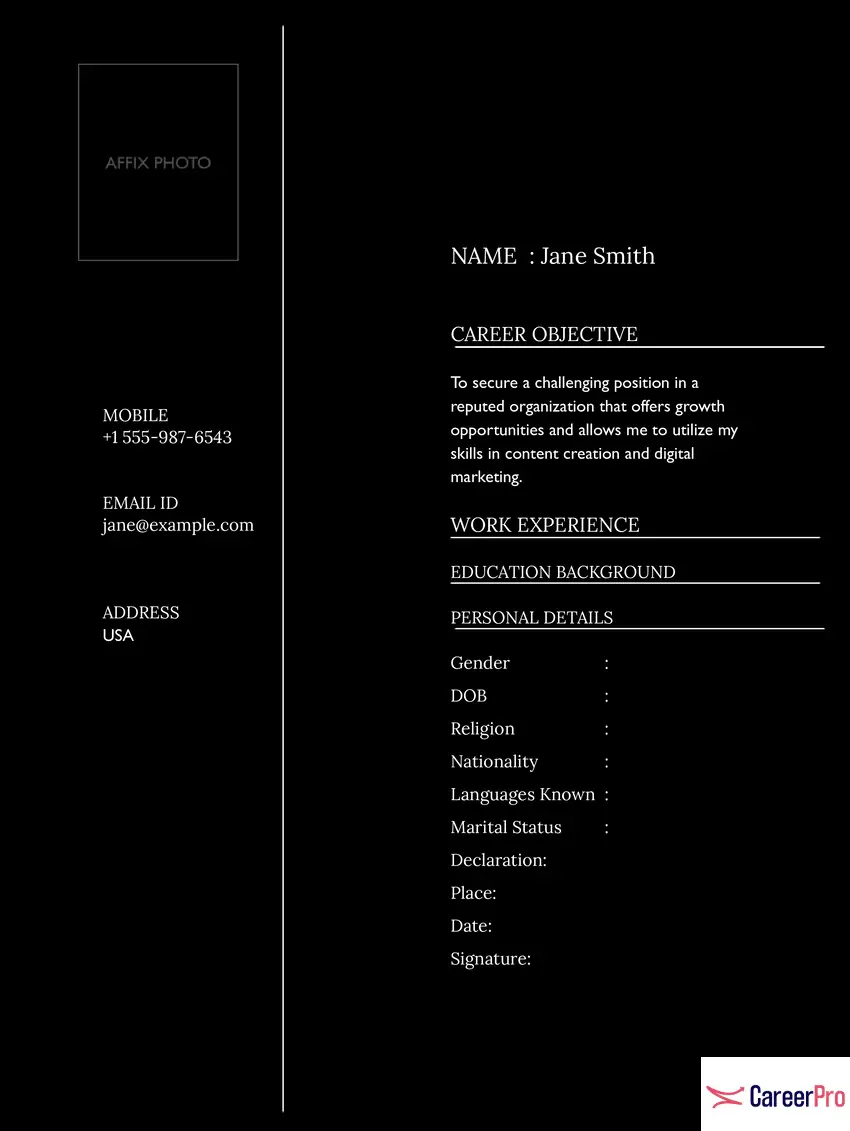
This bio data format for job focuses on delivering a polished and organized representation of the candidate’s qualifications, work experience, and skills tailored for corporate or professional roles. It’s best for experienced professionals, senior-level roles, or industries that value comprehensive resumes with a formal tone.
2) Simple Job Bio Data Template
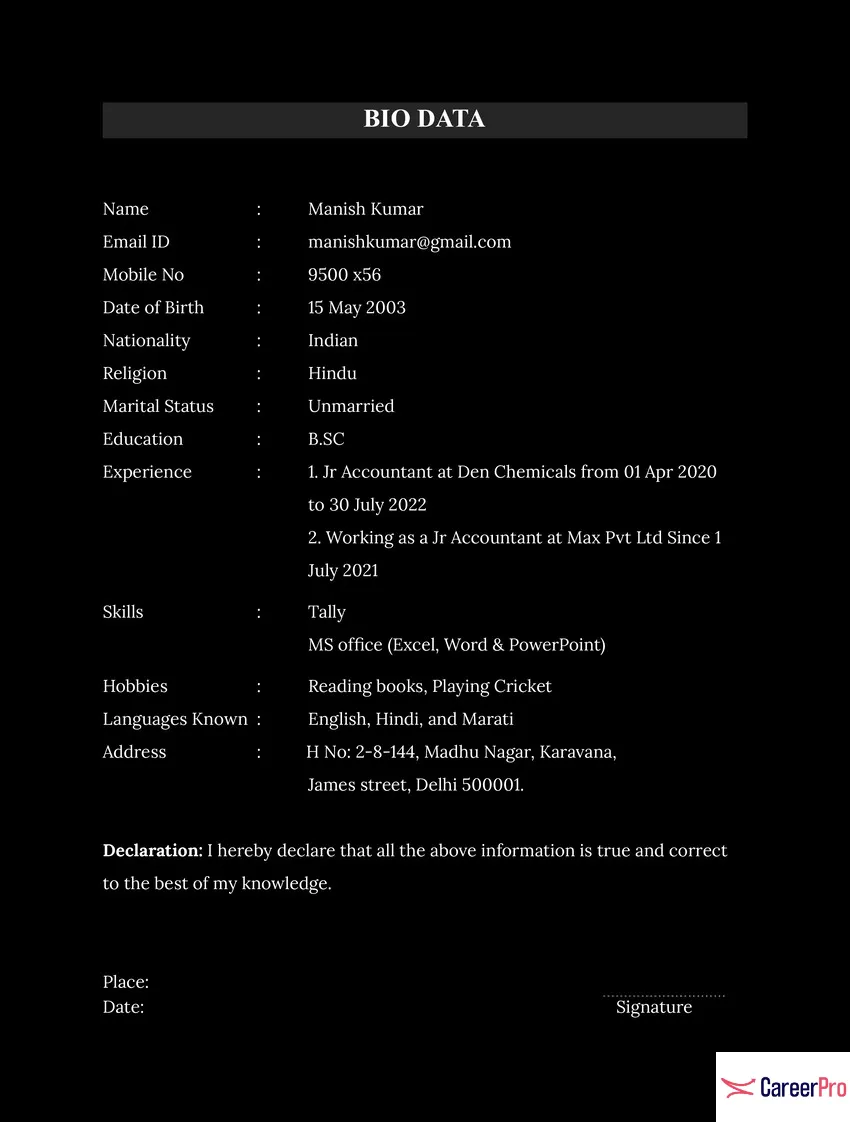
This is a minimal design that focuses on essential details, meticulously curated for roles that do not require extensive prior experience. It’s best for freshers, entry-level job seekers, and applicants or for those who value simplicity and clarity in resumes and bio datas.
3) Students Bio Data Template
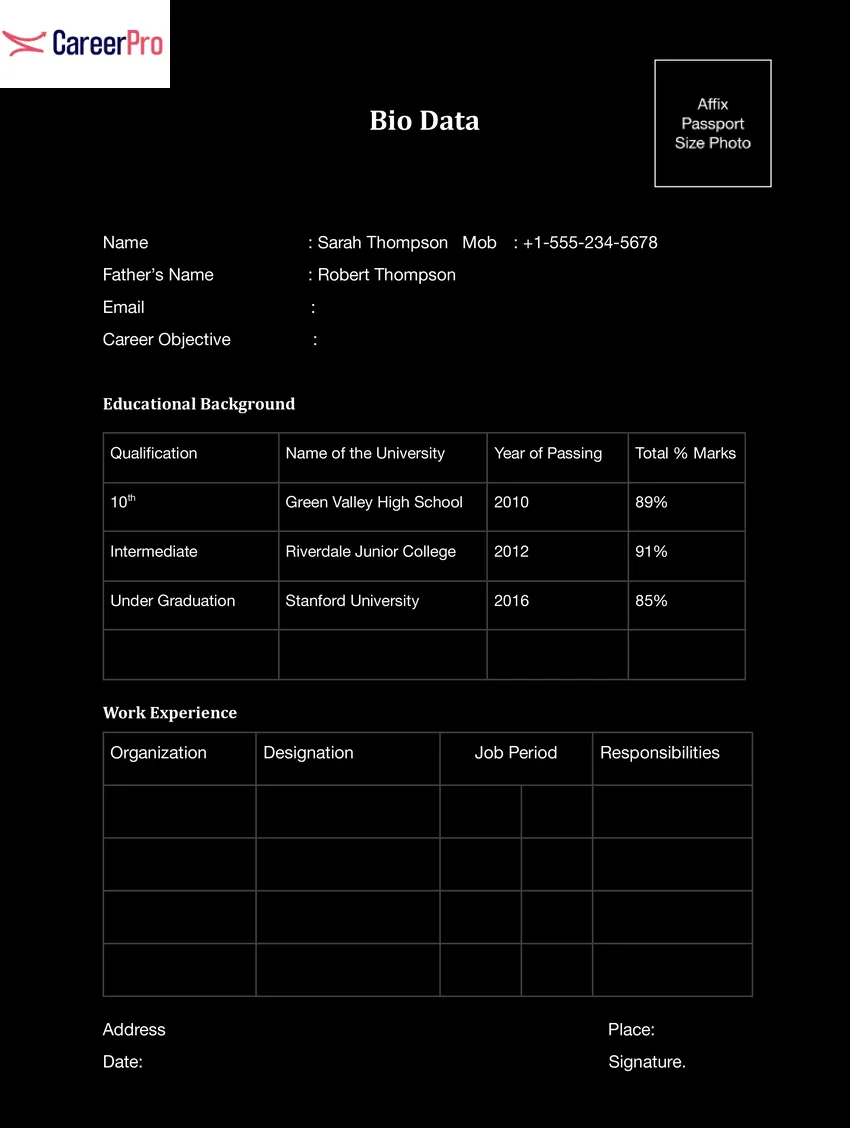
This bio data format is made for students and fresh graduates to help them showcase their educational achievements, internships, and extracurriculars in a clear way. Instead of work experience, it has content sections designed to display academic achievements for entry-level roles.
Read: Most In Demand Jobs in UAE for 2025
How to Pick The Best Bio Data Format For a Job?
There are three main bio data styles that you can choose from when creating a bio data. Basically, it depends on your career stage and the role you’re applying for. Below is a table that shows which format is best for each career level.
Scenario |
Recommended Format |
| You have a strong, steady work history | Reverse-Chronological |
| You’re transitioning careers or have gaps | Functional |
| You want to showcase both skills and experience | Combination |
| You’re a fresh graduate or early career seeker | Functional or Combination |
| You’re applying for a traditional corporate job | Reverse-Chronological |
Here’s a detailed explanation of all the types.
1Reverse-Chronological
If you’re a seasoned professional with a wealth of experience, the reverse-chronological format is typically the best choice, as it’s widely accepted by hiring managers and easily readable by Applicant Tracking Systems (ATS). So in most cases, the reverse-chronological format is recommended, as it’s the most common.
Features
- Emphasis on employment history, listed in reverse order.
- Highlights roles, companies, and dates.
- Prioritizes steady career progression.
Advantages
- Easy for recruiters to scan and understand.
- Highlights relevant work experience for the role.
Disadvantages
- Not ideal if you have gaps in employment or are transitioning careers.
2) Functional
If you’re aiming for a creative role or a position that values skills over experience, a functional format might be more suitable, focusing on your abilities rather than your job history. This emphasizes skills and achievements rather than work history.
Features
- Focuses on core competencies and skills rather than specific job titles or dates.
- Useful for grouping experiences under skill categories (e.g., “Leadership,” “Technical Skills”).
Advantages
- Highlights relevant abilities over employment timelines.
- Helps mask gaps or unrelated job history.
Disadvantages
- May be less familiar to recruiters, potentially causing confusion.
- Lack of chronological context can make it harder to assess career progression.
3) Combination
For those who need to highlight both skills and experience, especially for mid-level roles, the combination format offers a balanced approach. This hybrid structure merges elements of both reverse-chronological and functional formats. It highlights skills and achievements while also providing a concise work history.
Key Features
- Combines a summary of skills at the top with a reverse-chronological work history section.
- Balanced focus on skills and experience.
Advantages
- Provides the best of both worlds: context for skills and clarity in career progression.
- Flexible for customizing to different roles.
Drawbacks
- Can become lengthy or cluttered if not designed well.
- Requires careful balancing to avoid redundancy.
Read: Self-Introduction Sample for Job Interview Fresher
Key Elements of A Bio Data Format For Job
A bio data should have all the following details but be concise. You need to arrange it clearly. A clear and organized layout in bio data makes a strong impression:
Personal Details
Include the following things in your bio data format.
- Full name
- Date of birth
- Gender
- Nationality
- Marital status
- Contact information (Phone number, email address)
- Address (permanent and current)
- Languages known
Educational Qualifications
List the following academic achievements.
- Degree/Certificate (e.g., High School, Bachelor’s, Master’s, Ph.D.)
- Institution name
- Year of passing
- Grade/Percentage
Work Experience
Detail your current workplace roles, including:
- Job title
- Company name
- Duration (start and end date)
- Key responsibilities and achievements
Skills
Highlight all the soft and hard skills you have:
- Technical skills
- Soft skills
- Language proficiency
- Certifications and courses (Relevant to the job or career field)
How to Make a Professional Bio Data For Job
Although Canva, MS Word, and PowerPoint have templates you can tweak to create a perfect bio data format, you can opt for the DIY method in which you build the bio data from scratch. Whether you use a template or DIY, this is something you must take into account:
- Fit all details on one page.
- Set margins on all sides to one inch.
- Use Calibri, Helvetica, Verdana, or Times New Roman for professional touch.
- Font size should be 11–12 for the contents and 13–14 for the headings.
- Line spacing should be between 1 or 1.15 for readability.
- Make clear sections for all the content in the bio data format.
- File format should be DOCX or PDF format (Most Jobs prefer these two file formats).
Read: The Difference Between Job and Network Marketing
Difference Between Resume VS CV VS Bio Data
Although they both serve a kind of same purpose, they are different. While resumes focus on professional qualifications, bio data emphasizes on personal information like age, gender, marital status. It’s mostly used in contexts like government jobs. Here’s a detailed explanation of the differences between both.
Element |
Resume |
CV |
Biodata |
| Purpose | Highlights professional experience, skills, and education. | It highlights your academic accomplishments in detail with an emphasis on each academic year. | Includes comprehensive details about personal, educational, and professional background. |
| Length | Typically one page, sometimes two for experienced professionals. | It’s usually longer and can go up to four pages. Recruiters suggest keeping it two to three pages works the best. | Can range from 1 to 3 pages due to the inclusion of personal and background information. |
| Content Focus | Focuses on qualifications, skills, and achievements relevant to the job. | Emphasizes on details of how you performed in academics with a brief of your intro, contact, and references. | Covers personal details (e.g., gender, religion, marital status) along with professional data. |
| Geographical Usage | Commonly used in Western countries like the U.S. | CV is commonly used in European countries along with New Zealand, Australia, and South Africa. | Popular in South Asian countries like India, Pakistan, Sri Lanka, and Bangladesh. |
| Personal Details | Minimal, usually just name and contact information. | Includes all your relevant personal details that are necessary to know the basic you and that recruiter is able to contact you. | Includes detailed personal information like age, gender, hobbies, and even parents’ names. |
| Professional Details | Focused on job-related skills and accomplishments. | Professional information such as skills, awards and work experiences are summarized on a CV. | Includes all jobs and experiences, even those unrelated to the applied position. |
| Education | Highlights relevant educational qualifications. | The most comprehensive document that enlists all the academic details of yours. | Lists all educational qualifications, often in chronological order. |
| Hobbies/Interests | Optional and job-specific if included. | Optional and relatable to your professional skills if included. | Often required and presented as part of the personal profile. |
Conclusion
Making a good bio data for job is important because it gives a good first impression to the interviewer. Recruiters look at documents very quickly, so you need to pick a simple format that fits the job you want. Using clear layouts helps show your strengths and get noticed by employers in 2025.